
The hazard perception test is the part of the theory test people find hardest, and it’s usually not because they can’t spot hazards. It’s because they don’t understand how the clicking and scoring work.
Get the technique right and it becomes one of the more straightforward things you’ll do as a learner. Get it wrong and you can watch a screen full of obvious hazards and still score almost nothing.
So let’s fix that. This guide explains exactly how the test works, how it’s scored, the clicking technique that earns points, and how to practise so it feels like second nature on the day.
What the hazard perception test is
It’s the second half of your theory test, sat straight after the multiple-choice questions in the same appointment. You must pass both parts on the same day to pass overall.
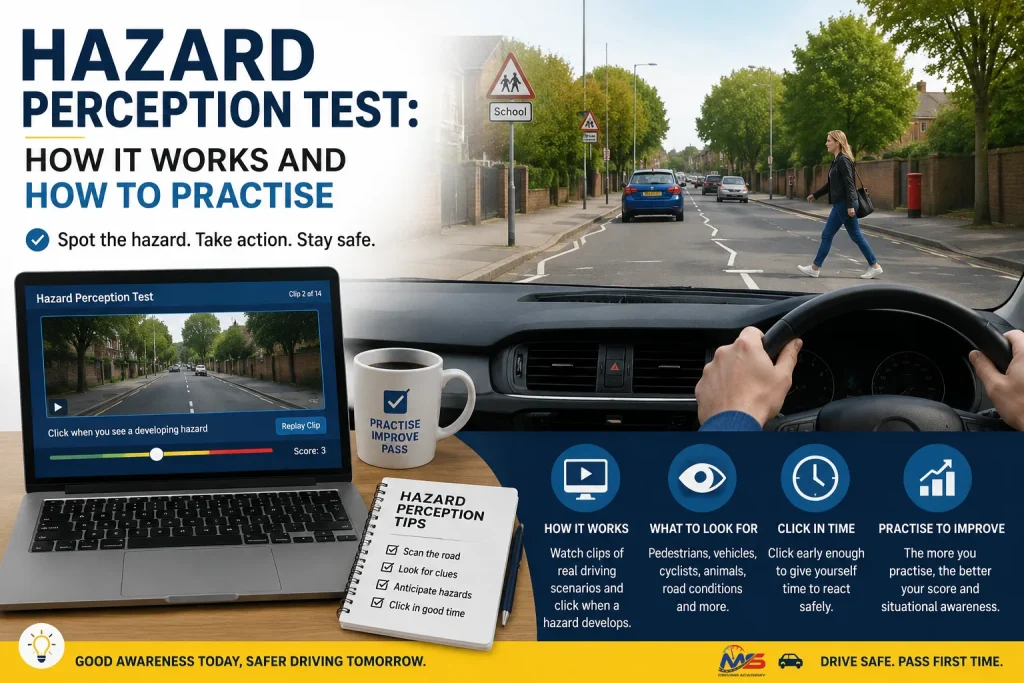
You watch 14 video clips, each around a minute long, filmed from the driver’s seat as if you were behind the wheel. Your job is to click the mouse (or tap, at some centres) the moment you see a hazard starting to develop. Thirteen clips contain one scoreable hazard each. One clip contains two. That last detail matters, and we’ll come back to it.
You need 44 points out of a possible 75 to pass.
The bit that confuses everyone: what counts as a hazard
This is where most of the marks are won or lost, so it’s worth being precise.
The test draws a distinction between two things:
- A potential hazard is something that could become a problem. A parked car on the left. A side road ahead. A pedestrian standing on the pavement. These are worth watching, but clicking here too eagerly scores you nothing yet.
- A developing hazard is that same thing actually starting to happen. The parked car’s door opens. A car emerges from the side road. The pedestrian steps off the kerb into the road. This is what you’re scoring on.
So the skill isn’t spotting danger in the abstract. It’s recognising the exact moment a potential hazard turns into a developing one, and clicking then. Click too early, before the scoring window opens, and it doesn’t count. Click too late, once you’d already have had to brake hard, and you lose points for slow reaction.
How the scoring works
Each developing hazard is worth up to five points. The score is a sliding scale based on timing. The scoring window opens as the hazard begins to develop and closes as it becomes fully realised. Click:
- Right as it starts developing → 5 points
- A little later → 4, then 3, then 2, then 1
- After the window closes → 0 points
Across the clips, that’s why timing beats certainty. You don’t get a point for eventually noticing the hazard. You get more points the earlier you catch it developing, and none at all if you’re late. With 14 clips and up to five points each (plus the one double-hazard clip), the maximum is 75, and you need 44.
The clicking technique that works
Here’s the method that reliably scores well, and the trap that reliably scores zero.
Do this:
- Click once, cleanly, the instant a hazard begins to develop. Trust the moment. The door starts opening, you click.
- Consider a second click a beat later if the hazard clearly escalates and needs real action. Two considered clicks across a developing hazard is fine and can help you catch the scoring window.
- Stay alert the whole clip. Hazards can appear early or late, and the double-hazard clip means you can’t switch off once you’ve clicked once.
Never do this:
- Don’t click continuously or in a rhythm. The test has cheat detection built in. If you spam clicks to try to cover the window, or click in a steady pattern, the system flags it and scores that entire clip zero, even if your clicks would otherwise have landed. This is the single most common way capable people fail the section.
- Don’t click on every potential hazard the second you see it. Clicking the moment a parked car appears, before anything develops, wastes your focus and can look like pattern-clicking.
The mental model that helps: click like you’d brake. If what you’re seeing would make a careful driver ease off or cover the brake, that’s your click. If it’s just scenery you’re keeping an eye on, wait.
What changed for 2026
The DVSA refreshed the hazard perception clip library in 2026 with new footage filmed in nighttime, rain and fog conditions, to reflect real UK driving more realistically than the older daytime-only clips. The scoring, the number of clips and the pass mark are all unchanged.
For you, that means two things. Practise on up-to-date, DVSA-licensed clips rather than old ones, so the test looks familiar. And get comfortable spotting hazards in poor visibility, where a developing hazard, a pedestrian in the rain, a vehicle emerging from fog, gives you less warning and rewards early recognition even more.
How to practise so it becomes instinctive
Hazard perception is a trainable skill, and it improves quickly with the right practice.
Use official or officially-licensed clips
The real test uses DVSA computer-generated clips. Practising on the same style means no surprises. The DVSA app and reputable licensed apps include them.
Practise on a mouse if you can
The real test typically uses a mouse click. If you only ever practise by tapping a phone, the timing can feel slightly different on the day. It’s a small thing, but an easy edge.
Review your misses, not just your score
When you miss a hazard or score low, replay the clip and find the exact moment it began developing. Training your eye to that moment is the whole game. Over a couple of weeks this rewires how you watch the road.
Let real lessons do half the work
This is the quiet secret. Learners who are already having driving lessons find hazard perception far easier, because they’re developing genuine road awareness behind the wheel. Anticipating what a pedestrian or a parked car might do stops being a test exercise and becomes how you actually think. If you’ve started lessons, you’re already practising every time you drive.
Frequently asked questions
How many clips are in the hazard perception test?
Fourteen. Thirteen have one developing hazard each, and one has two. You need 44 points out of 75 to pass.
Why did I score zero on a clip when I definitely saw the hazard?
Almost always because of the cheat-detection system. Clicking continuously or in a rhythmic pattern scores that clip zero. Use one or two deliberate clicks as the hazard develops instead.
When exactly should I click?
The moment a potential hazard starts to become a developing one, when something actually begins to happen that would make you slow or steer. Not when you first see a potential risk, and not once it’s already upon you.
Is hazard perception harder than the multiple-choice section?
Many learners find it trickier, mainly because of the timing and technique rather than the difficulty of spotting hazards. Once the technique clicks, most people score comfortably.
What are the new 2026 clips like?
The clip library now includes nighttime, rain and fog footage for more realistic conditions. The format and scoring are unchanged, so practise on current licensed clips.
Can I practise hazard perception for free?
There are free samples, but for reliable preparation use the official DVSA clips or a licensed app. MS learners get a 30-day free theory trial that includes hazard perception practice.
Practise hazard perception from your first lesson
The learners who find hazard perception easiest are the ones already building road awareness in real lessons. The two reinforce each other: every hour behind the wheel sharpens the instinct the test is measuring.
Every MS Driving Academy learner gets a 30-day free theory trial in the MS Smart Drive app, with hazard perception practice built in, alongside lessons from a DVSA-approved instructor across Barking and East London. Start both together and the test stops being something to fear.

Shurat Rahman is a DVSA Approved Driving Instructor (ADI) at MS Driving Academy, with three years’ experience teaching manual and automatic lessons across Barking, Ilford and East London. He regularly prepares learners for practical tests at Goodmayes, Chingford, Wanstead, Loughton and Hornchurch.